If you have ever run a Performance Max (PMax) campaign, you know the frustration. You set your budget, upload your assets, define your goals and then hand everything over to Google’s AI. Where your ads actually show up? That was never your call. For years, advertisers had zero control over placement in PMax campaigns. Low-quality websites, irrelevant YouTube channels, sketchy app placements your budget could be going anywhere and you had no way to stop it.
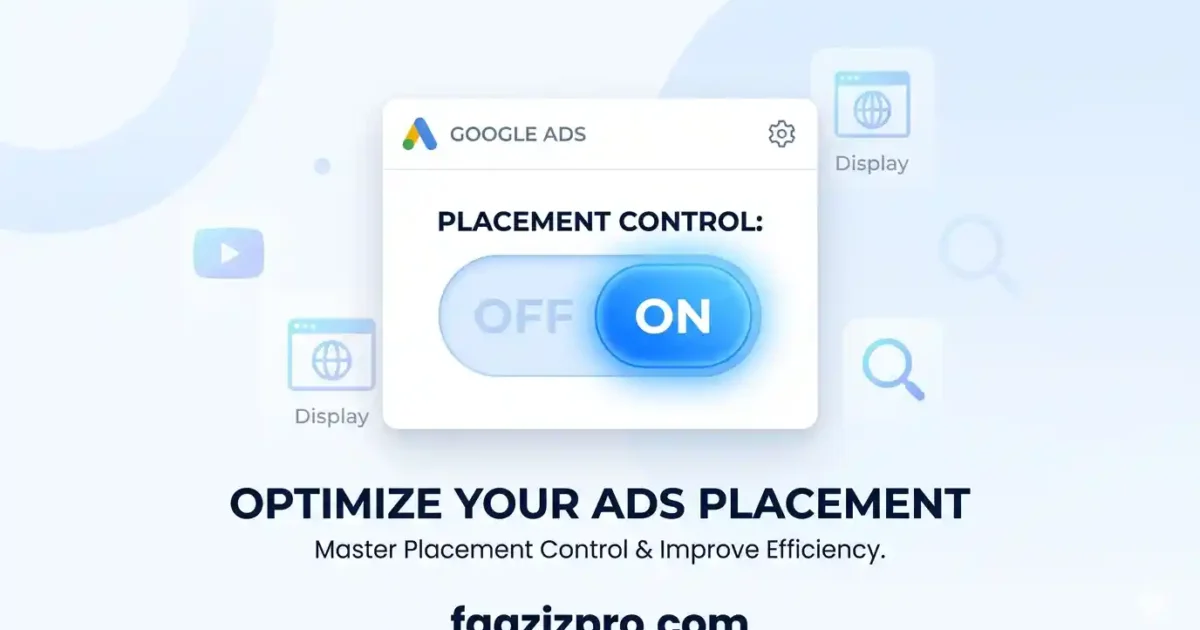
That era is over. In 2026, Google rolled out a series of placement control updates that fundamentally change how advertisers can manage where their PMax ads appear. This article breaks down exactly what has changed, what you can control now, and how to take action immediately.
The Old Problem: PMax Was a Placement Black Box
When Google launched Performance Max, the promise was simple: one campaign, all of Google’s inventory, fully automated. But that automation came with a painful trade-off complete loss of placement visibility and control.
Free Google Ads Audit
Want Me to Review Your Account?
I will check your campaigns, tracking setup, and show you exactly where the opportunities are — completely free.
Here is what advertisers were stuck with before 2026:
- No way to see which specific websites, apps, or YouTube channels were showing your ads
- No ability to exclude low-quality or brand-unsafe placements at the campaign level
- Search Partner Network traffic was invisible you could not see which partner domains were eating your budget
- Parked domains (low-quality ad-farm pages) were active ad surfaces with no opt-out
- Brand safety was left entirely in Google’s hands
The result was widespread frustration. Advertisers reported budget draining into placements that generated impressions but zero conversions. Brand safety concerns went unaddressed. And the only response Google gave was to “trust the algorithm.”
What Changed in 2026: A Full Breakdown of the New Placement Controls
Google has delivered four major placement-related updates in 2026. Here is each one explained in plain language.
1. Account-Level Placement Exclusions (January 2026)
This is the biggest change. Rolled out on January 14, 2026, account-level placement exclusions allow you to create one centralized list of websites, mobile apps, YouTube channels, and YouTube videos where you never want your ads to appear and that exclusion list automatically applies across every eligible campaign in your account, including Performance Max, Demand Gen, Display, and YouTube.
Before this update, you had to manually duplicate exclusion lists across each individual campaign an incredibly tedious process that most advertisers skipped, leaving their PMax campaigns completely unprotected. Now, a single exclusion list does the work for every campaign simultaneously.
What you can exclude:
- Specific websites and domains
- Mobile apps and app categories
- Individual YouTube channels
- Individual YouTube videos
Where to find it: Google Ads → Tools & Settings → Content Suitability → Placement Exclusions
2. Search Partner Placement Visibility (February 2026)
For years, the Search Partner Network was a grey area inside PMax. Advertisers knew their ads were showing on third-party search engines and partner sites but had no idea which ones. In February 2026, Google activated Search Partner placement visibility inside the Performance Max reporting interface.
You can now see the specific Search Partner domains where your ads appeared, along with impression counts for each. While conversion-level data per domain is still not available, the impression data alone is enough to identify problem placements and add them to your exclusion list.
Where to find it: PMax Campaign → Insights & Reports → When and Where Ads Showed → Filter by Search Partner Network
3. Parked Domains Permanently Removed (February 10, 2026)
One of the longest-standing complaints about Google’s ad network was the inclusion of parked domains essentially empty placeholder pages that exist purely to collect ad revenue. These domains generated impressions but almost never drove real conversions.
On February 10, 2026, Google permanently removed parked domains (AdSense for Domains / AFD) as an ad surface across the entire Search Partner Network. The content suitability setting for parked domain inclusion has been deleted from all accounts. This is an automatic quality improvement that benefits every advertiser no action required on your part.
4. Placement Reports Segmented by Network (March–April 2026)
Google officially announced in March 2026 the rollout of network-segmented placement reporting for Performance Max. Previously, placement data was aggregated in a way that made it impossible to distinguish between a Display placement and a YouTube placement or a Search Partner placement. Now, you can segment your placement report by network and see exactly which network each placement belongs to.
Networks you can now see separately:
- Google Search
- Search Partner Network
- YouTube
- Display / GDN
- Discover
- Gmail
- Google Maps
Where to find it: PMax Campaign → When and Where Ads Showed tab (now surfaced more prominently in the UI)
Then vs. Now: A Side-by-Side Comparison
| Feature | Before 2026 | 2026 (Now) |
| Placement exclusions | Not available in PMax | Account-level exclusions apply across all campaigns |
| Search Partner visibility | Completely hidden | Full domain-level impression data visible |
| Network segmentation | All placements mixed together | Segmented by Search, YouTube, Display, etc. |
| Parked domains | Active ad surfaces draining budget | Permanently removed from all accounts |
What Still Cannot Be Done
Transparency is still not complete. Here are the limitations that remain as of 2026:
- You cannot manually select which placements you want only exclude the ones you don’t
- You cannot control how much budget Google allocates to each network (Search vs YouTube vs Display)
- Conversion and click data is still not available at the individual placement/domain level only impressions
- Campaign-level placement exclusions (as opposed to account-level) still require contacting your Google rep
The gap between PMax and traditional campaigns in terms of placement control is narrowing but it has not closed yet.
How to Use the New Placement Controls Right Now
Step 1: Set Up Account-Level Placement Exclusions
Go to Tools & Settings → Content Suitability → Placement Exclusions. Start by adding any websites, apps, or YouTube channels you already know are poor performers or brand-unsafe. If you have been running Display or YouTube campaigns, import those exclusion lists here immediately.
Step 2: Audit the “When and Where Ads Showed” Report Weekly
Make a weekly habit of checking your placement report. Filter by network to see where impressions are concentrating. Look for placements with high impression counts but that look off-brand, irrelevant, or low-quality. Add those to your account-level exclusion list immediately.
Step 3: Review Search Partner Placements
Filter your placement report specifically by Search Partner Network. Identify any domains that seem irrelevant to your product or audience. Since conversion data is not available per domain, use your judgment based on domain quality and err on the side of exclusion for anything suspicious.
Step 4: Cross-Reference Against Channel Performance
Use the channel performance report (also available in 2026) to see if specific networks are consuming budget without driving conversions. If Display is getting 40% of your spend but almost none of your conversions, that is your signal to aggressively exclude poor Display placements.
Why This Matters for E-Commerce Advertisers
For e-commerce brands running Shopping and PMax campaigns together, placement control is especially critical. Before these updates, your Shopping ads could appear on irrelevant websites or low-quality apps eroding your brand image and wasting budget that should have been going toward high-intent Search placements.
With the new account-level exclusions and network-segmented reporting, you can now ensure your PMax campaigns stay focused on quality inventory. You can identify which networks are driving real conversions and which are simply claiming attribution credit for impressions that played no real role in the purchase decision.
The result: better ROAS, cleaner attribution data, and stronger brand safety all from updates that take under 30 minutes to implement.
Conclusion
For years, Performance Max placement control was the number one complaint from serious Google Ads practitioners. You were expected to trust Google’s AI completely, with no visibility into where your money was going and no ability to stop it from going to the wrong places.
The 2026 updates account-level placement exclusions, Search Partner visibility, the removal of parked domains, and network-segmented reporting represent the most significant step toward advertiser control that PMax has ever seen. The black box is not fully open, but the window is now cracked wide enough to manage your campaigns with real intention.
If you are running PMax campaigns and have not yet implemented these controls, every day you wait is budget potentially wasted on placements you would never consciously choose. Open your Google Ads account today, head to the “When and Where Ads Showed” tab, and start taking back control.