Are you wondering when to use Smart Bidding in Google Ads and whether it’s actually the right move for your business? You’re not alone. Smart Bidding is one of the most powerful tools Google offers, but it’s also one of the most misunderstood.
Used at the wrong time, it can drain your budget fast. Used correctly, it can significantly lower your cost per acquisition and drive more qualified leads on autopilot.
In this guide, you’ll learn exactly what Smart Bidding is, when it makes sense to use it, how to set it up step by step, and the common mistakes that trip up even experienced advertisers.
Free Google Ads Audit
Want Me to Review Your Account?
I will check your campaigns, tracking setup, and show you exactly where the opportunities are — completely free.
WHAT IS SMART BIDDING IN GOOGLE ADS?
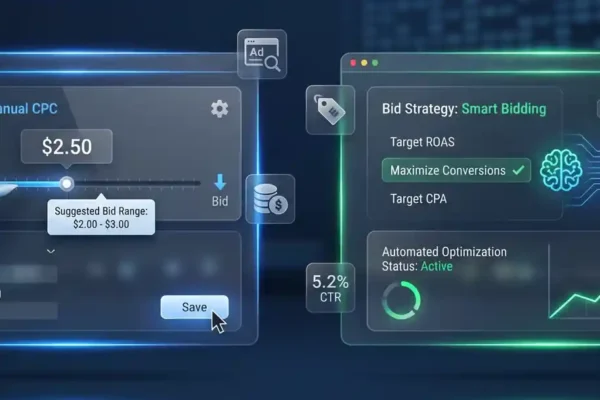
Smart Bidding is Google’s automated bidding system that uses machine learning to optimize your bids in real time for every single auction.
Instead of you manually setting a maximum cost-per-click (CPC), Google analyzes dozens of signals like the user’s device, location, time of day, search history, and more and automatically adjusts your bid to maximize the chance of a conversion.
The main Smart Bidding strategies are:
• Target CPA (Cost Per Acquisition) Google aims to get you conversions at your specified cost per lead or sale.
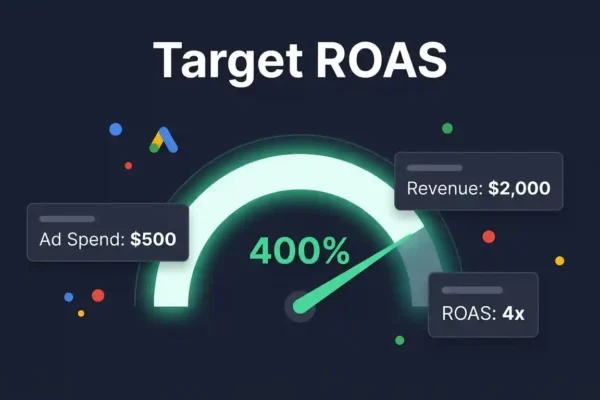
• Target ROAS (Return on Ad Spend) Best for eCommerce; Google optimizes for revenue relative to what you spend.
• Maximize Conversions Google spends your full budget to get as many conversions as possible.
• Maximize Conversion Value Similar to above, but focuses on maximizing the total value of those conversions.
Think of Smart Bidding as hiring a 24/7 bidding assistant that never sleeps but only works well if it has enough data to learn from.
WHY SMART BIDDING MATTERS FOR YOUR CAMPAIGNS
Manual bidding made sense in the early days of Google Ads. But today, auctions happen billions of times a day, and the signals that determine the right bid for each auction are too complex for any human to process in real time.
Smart Bidding gives you a real competitive edge if you use it at the right stage of your campaign.
Here’s the impact when it works properly:
• Lower cost per lead over time as the algorithm learns your audience.
• Higher conversion rates, because bids are adjusted based on intent signals you can’t see manually.
• Less time spent managing bids day-to-day, freeing you to focus on ad copy, landing pages, and strategy.
But here’s the honest truth: Smart Bidding is not a “set it and forget it” system. It requires the right conditions, regular monitoring, and occasional human intervention. In our experience auditing hundreds of Google Ads accounts, the biggest waste of budget happens when business owners enable Smart Bidding too early before their account has enough conversion data to fuel the machine.
WHEN TO USE SMART BIDDING: A STEP-BY-STEP DECISION FRAMEWORK
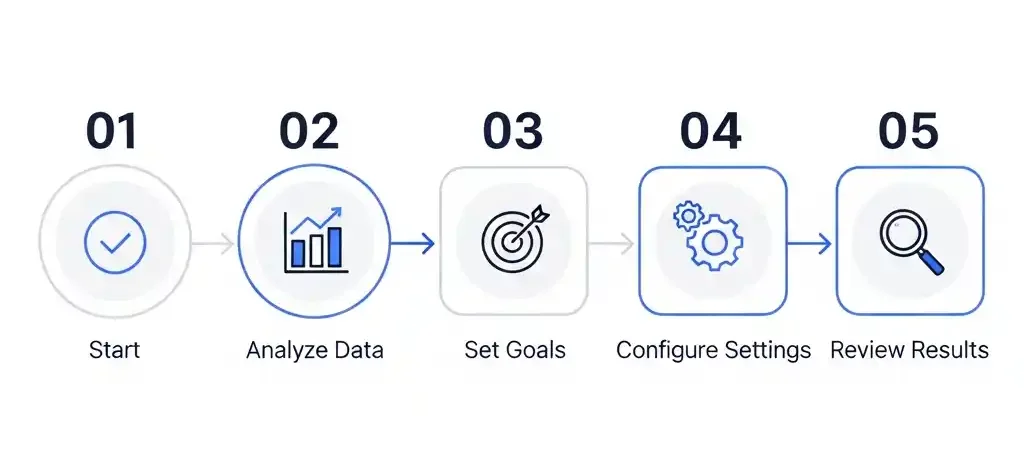
Step 1: Check Your Conversion Tracking Is Set Up Correctly
Before anything else, your conversion tracking must be working accurately. This is non-negotiable.
Smart Bidding learns from your conversion data. If your conversions are tracking incorrectly duplicate counts, missing events, or firing on the wrong pages you’re feeding the algorithm bad information, and it will optimize in the wrong direction.
Check that: • Your conversion actions are firing on the right pages (thank-you page, not your homepage). • You’re not double-counting phone calls and form submissions as the same lead. • Google Tag Manager or your Google Ads tag is properly installed.
(For more on this, see our guide on setting up Google Ads conversion tracking correctly.)
Step 2: Confirm You Have Enough Conversion Volume
This is the most common mistake launching Smart Bidding with too little data.
As a general rule of thumb:
• For Target CPA: Aim for at least 30–50 conversions in the past 30 days at the campaign level before enabling it.
• For Target ROAS: You typically need 50+ conversions per month, ideally with varied conversion values.
• For Maximize Conversions: This is more flexible and can be used earlier, but still works better with at least 15–20 conversions in the account.
If you’re a new advertiser or just launched a campaign, start with Maximize Clicks or Manual CPC to build data first. Once you’ve accumulated enough conversions over 4–6 weeks, then consider transitioning to Smart Bidding.
Step 3: Choose the Right Smart Bidding Strategy for Your Goal
Match your strategy to your actual business objective:
| BUSINESS GOAL | RECOMMENDED STRATEGY |
|---|---|
| Generate leads at a specific cost | Target CPA |
| Drive online sales/revenue | Target ROAS |
| Maximize leads within budget | Maximize Conversions |
| Maximize revenue within budget | Maximize Conversion Value |
| Brand new campaign, no data | Manual CPC or Max Clicks first |
Don’t just default to Maximize Conversions because it sounds appealing. If your budget is limited and you don’t have conversion data yet, it can exhaust your budget quickly without useful results.
Step 4: Set a Realistic Target (CPA or ROAS)
If you’re using Target CPA or Target ROAS, your target needs to be realistic not aspirational.
Look at your historical average CPA in your account and set your target within 10–20% of that figure to start. Setting it too aggressively (e.g., targeting $10 CPA when your average is $45) will cause Google to reduce your bids so much that your ads barely show.
Gradually tighten your target over time as the algorithm learns and improves performance.
Step 5: Give It Time to Learn And Monitor Closely
Smart Bidding goes through a “learning period” every time you make significant changes. During this phase (typically 1–2 weeks), you may see fluctuating results. This is normal.
What you should do: • Don’t make frequent changes to budgets, targets, or ad groups during the learning period. • Monitor your impression share, click volume, and conversion rate not just CPA to get the full picture. • Review performance weekly rather than daily during the first month.
COMMON SMART BIDDING MISTAKES TO AVOID
- Enabling Smart Bidding with fewer than 20 conversions per month. The algorithm simply doesn’t have enough to learn from, and you’ll get unpredictable results.
- Setting an unrealistic CPA target from day one. If your average cost per lead is $60 and you target $15, your ads will barely show. Start close to your historical average.
- Making constant changes during the learning period. Every major change restarts the learning phase. Patience is part of the strategy.
- Treating Smart Bidding as fully automated. It still needs human oversight. Check your search term reports, negative keywords, and ad performance regularly.
- Using Smart Bidding without proper conversion tracking. This is the root cause of most Smart Bidding failures. Garbage in, garbage out.
- Ignoring the “Limited by budget” warning during Smart Bidding. If Google can’t fully spend your budget, the algorithm can’t learn properly. Ensure your daily budget gives it room to run.
CONCLUSION: IS SMART BIDDING RIGHT FOR YOU?
Smart Bidding in Google Ads is genuinely powerful but only when the conditions are right. Here’s a quick summary of the key takeaways:
• Set up accurate conversion tracking before anything else. • Wait until you have 30–50 conversions per month before using Target CPA or Target ROAS. • Start with Maximize Conversions if you’re newer, then graduate to Target CPA once you have data. • Set realistic targets, be patient through the learning phase, and keep monitoring weekly.
When implemented properly, Smart Bidding can dramatically reduce the time you spend managing bids while improving your results over time. When rushed, it becomes an expensive lesson in patience.
If you’re not sure whether your account is ready for Smart Bidding or if your current campaigns aren’t performing as expected we’d love to help.